Mar 4, 2026
A new way to explore your data
We've improved the Variable summaries experience for a more intuitive and efficient view of your data.
We've improved the Variable summaries experience for a more intuitive and efficient view of your data.
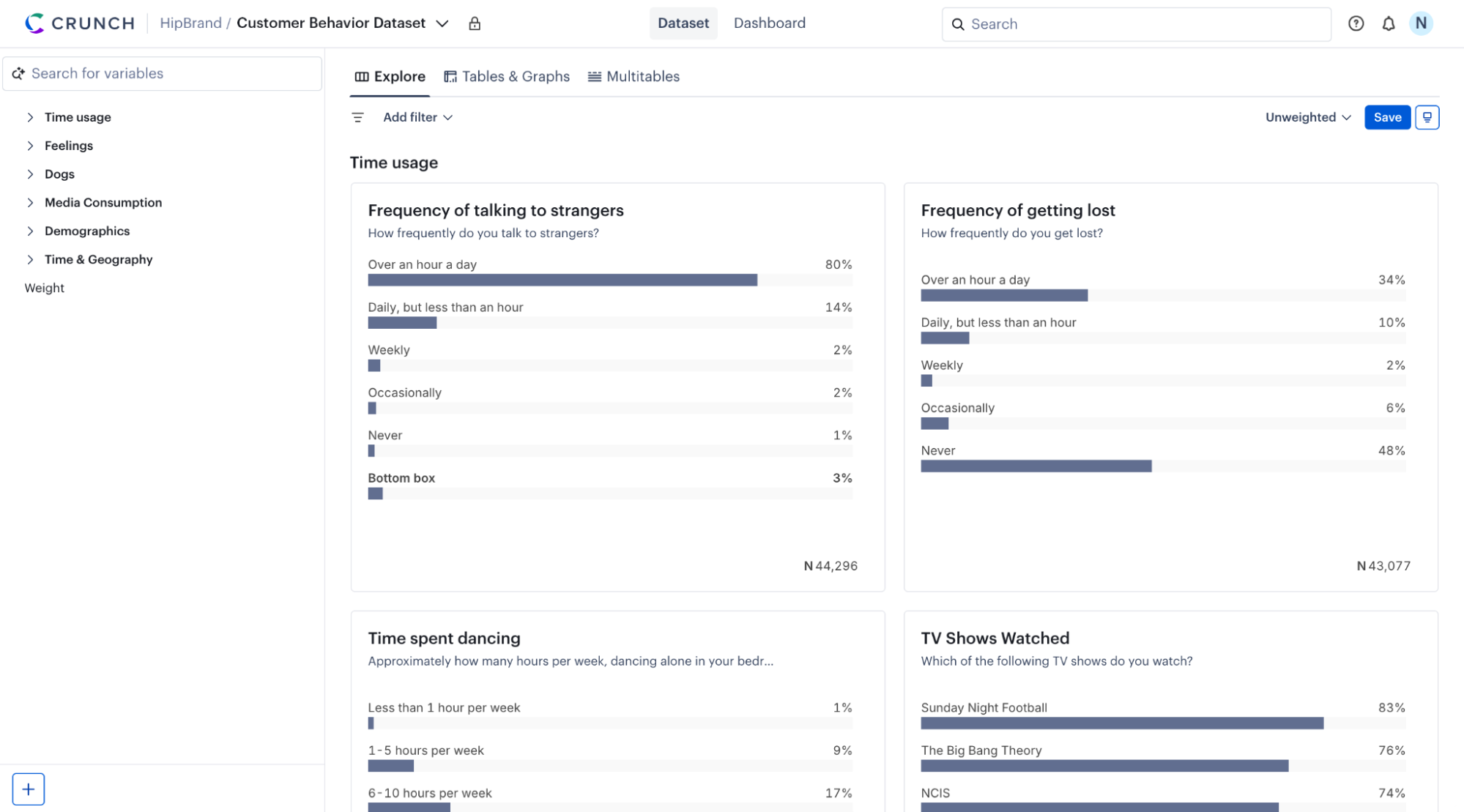
We have reimagined the Variable Summaries experience for Crunch users. Now called Explore, this new experience is the primary way to discover and navigate your data.
The Explore view tab features a vertical scrolling layout, smoother variable navigation, and clearer labels for folders and variables. These enhancements are designed to help you discover insights faster and navigate even the most complex datasets seamlessly, significantly reducing your time to find valuable information.
We’ve also improved the filter bar to refine your focus.
When you open a dataset in Crunch, you will be taken directly to the new Explore tab. From here, you can:
Scroll vertically: Quickly scan through variables to get a high-level view of your data.
Navigate with precision: Use the new variable folder structure and tile highlighting to move between sections and keep your analysis focused.
Tile highlighting: Visual cues that help you focus on specific variables as you scan through the dataset.
Refine your view: Use the improved filter bar to focus on specific segments of your data instantly.
This feature is currently in early access. For full details of this new feature, see the help center.
As always, we’re constantly evolving our products to make your job easier, and eager to hear what you think about our latest enhancements. For questions or feedback, please contact support@crunch.io.