Oct 18, 2026
Coming Soon: Analyze Mode in Crunch
Analyze Mode will be available to all early access users starting Wednesday, October 21st.
Analyze Mode will be available to all early access users starting Wednesday, October 21st.
Analyze Mode will bring Tables & Graphs and Multitables functionality together in a single, unified workspace. Instead of switching between separate tabs, you’ll find everything you need to build your analysis in one place.
Analysis in Crunch was split across two modes: Tables & Graphs for building bivariate tables and charts, and Multitables for building multivariate tables and tab books. Analyze Mode combines Tables & Graphs and Multitables into a single, streamlined workflow.
We are also introducing a new way to navigate between Explore Mode, Analyze Mode, Dashboards, and the AI Agent via a toolbar:
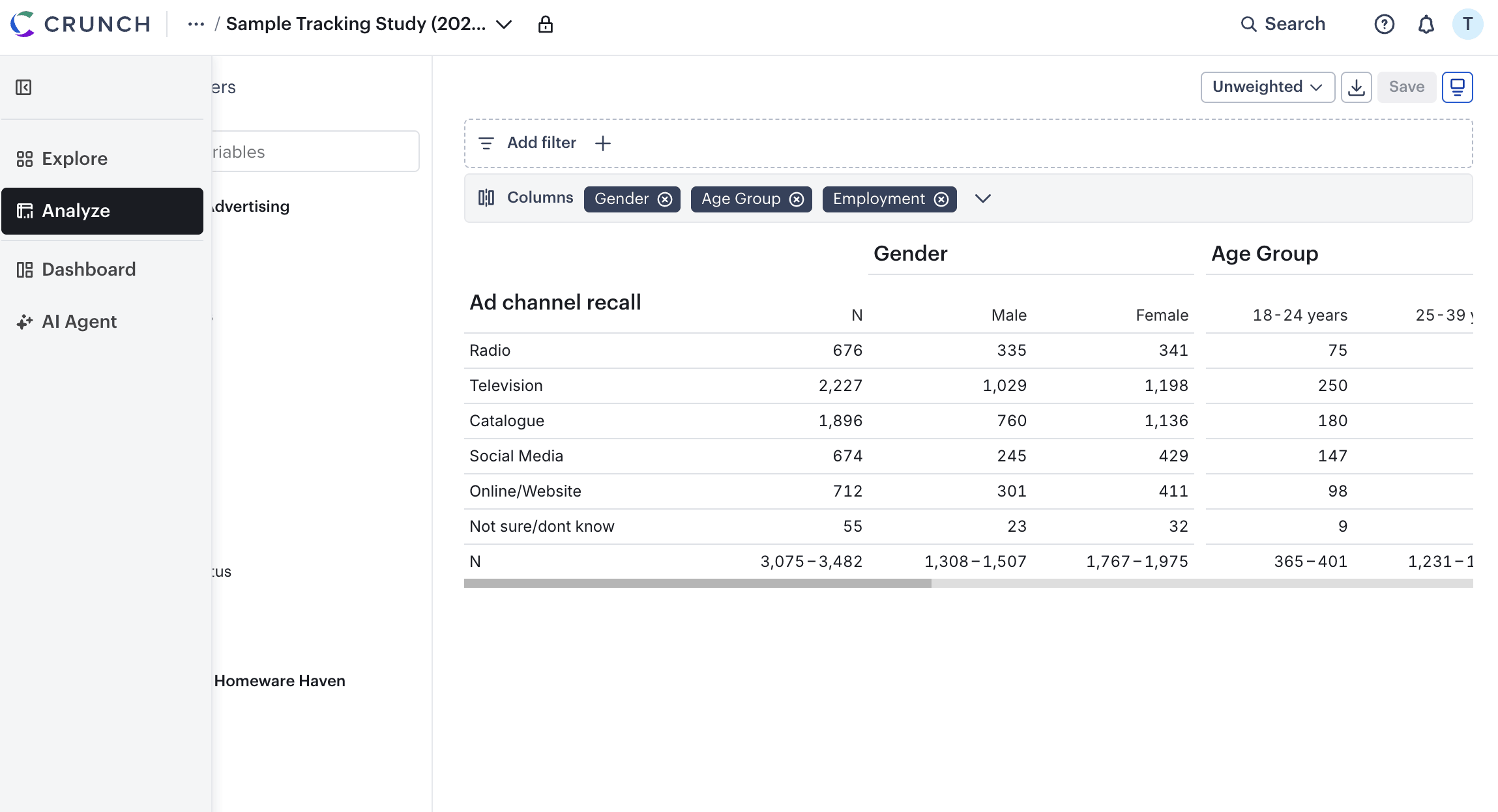
Nothing you rely on is going away. Your saved analyses and core Crunch functionality remain exactly where you need them. Analyze Mode reimagines the analysis experience. Whether you’re building a single table or a deck or dashboard for stakeholders, Analyze Mode gives your analyses a single home.
What is Analyze Mode?
Is any functionality being removed?
Will my existing saved analyses still work?
Yes, all of your previously saved banners can now be found by clicking on the caret icon in the “add columns” config bar. You can also save new banner sets for later use.
We are constantly evolving our products to make your job easier and are eager to hear what you think about our latest enhancements. For questions or feedback, please contact support@crunch.io